Roles that mean something
Admins, operators, viewers and renters see different things. A renter is served a different page entirely — not the same page with buttons hidden.
Gear, jobs, crew, call sheets, lighting plots, receipts and invoices — in one app that already understands how a shoot actually runs, because it was built on set by someone running them.
Make a job once and everything else hangs off it — the days, the crew, the kit, the receipts, the invoice at the end.
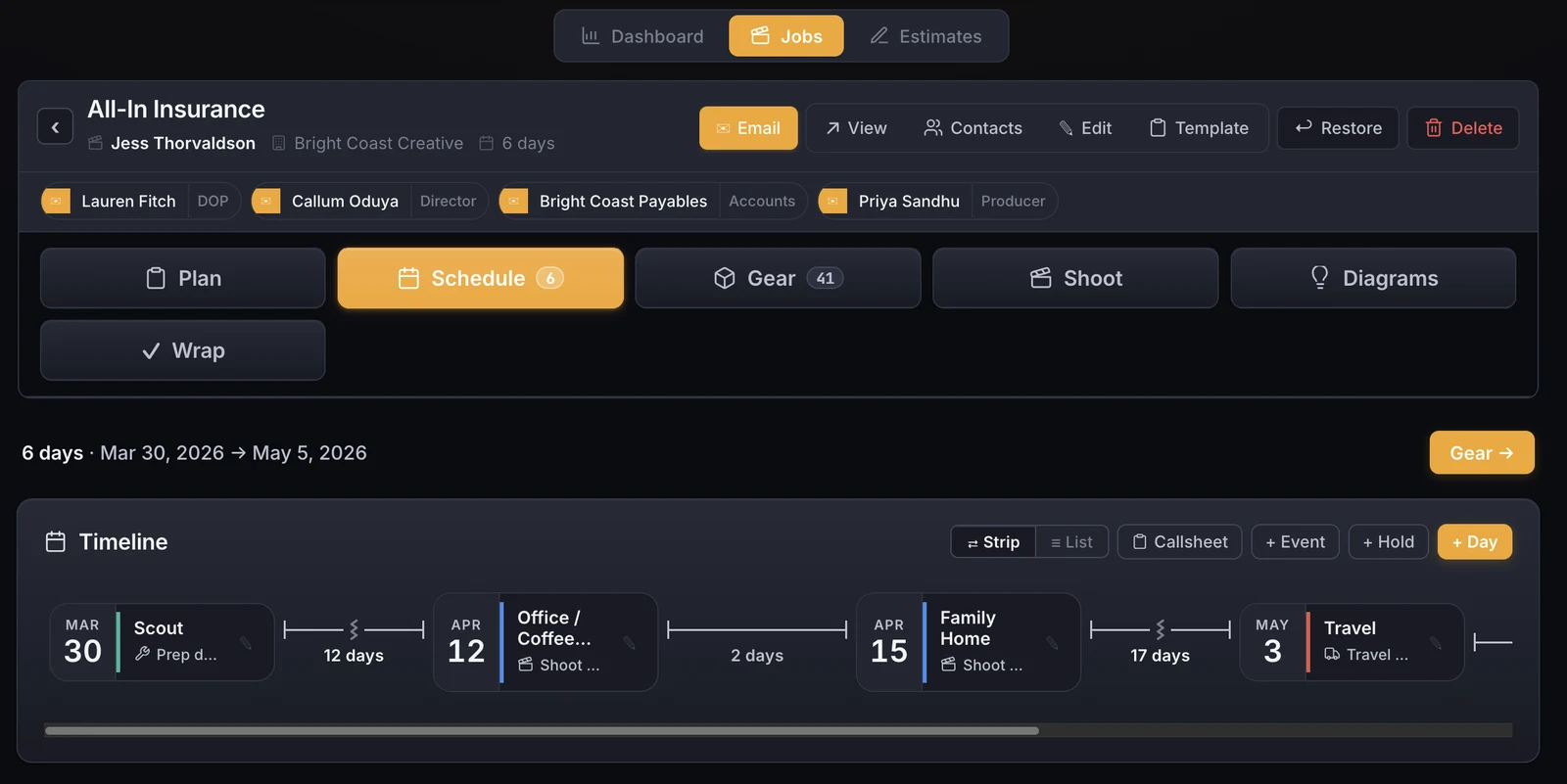
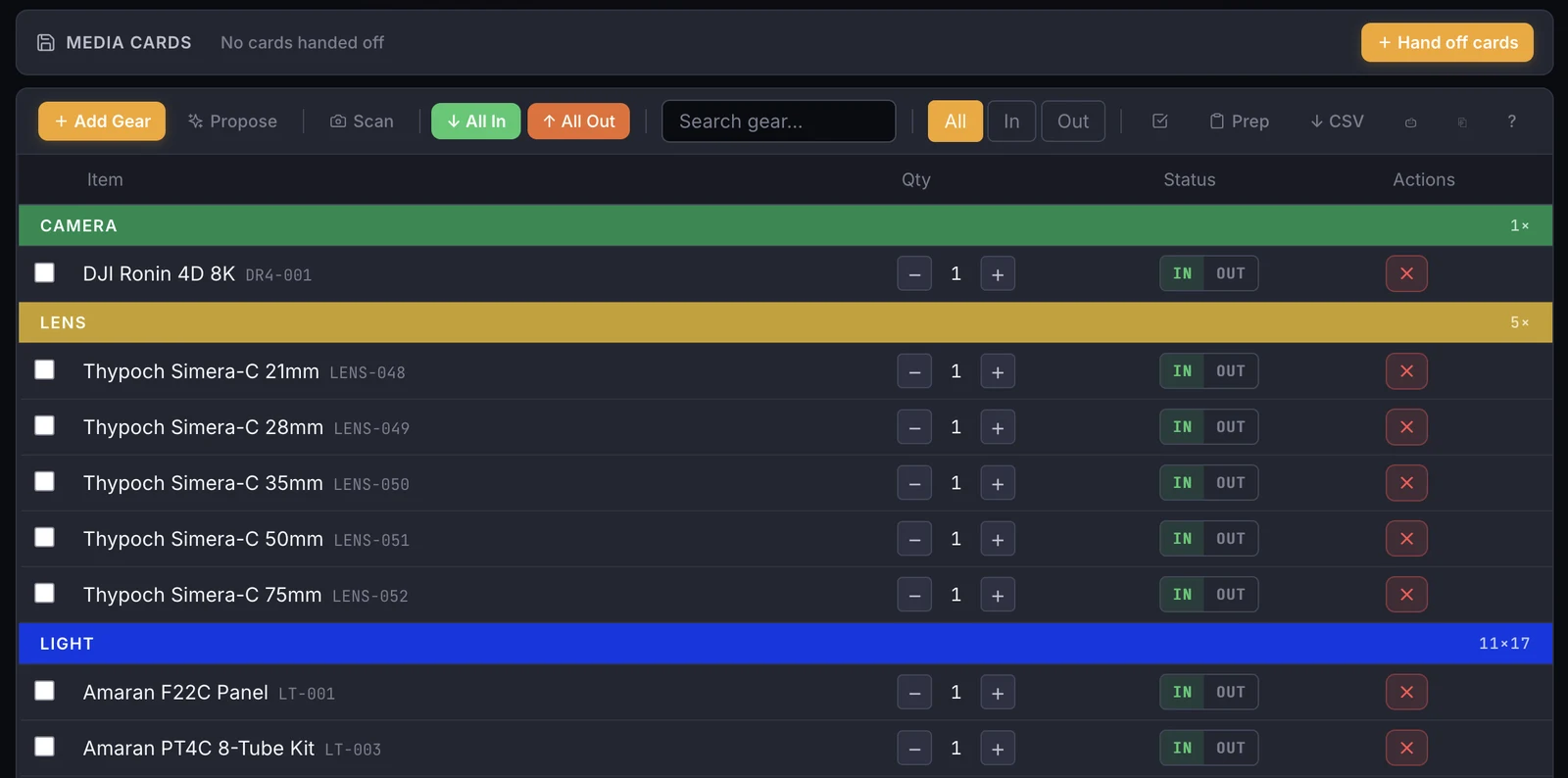
Your inventory, what's on which job, what went out to whom, and what's due back — without a spreadsheet and a good memory.
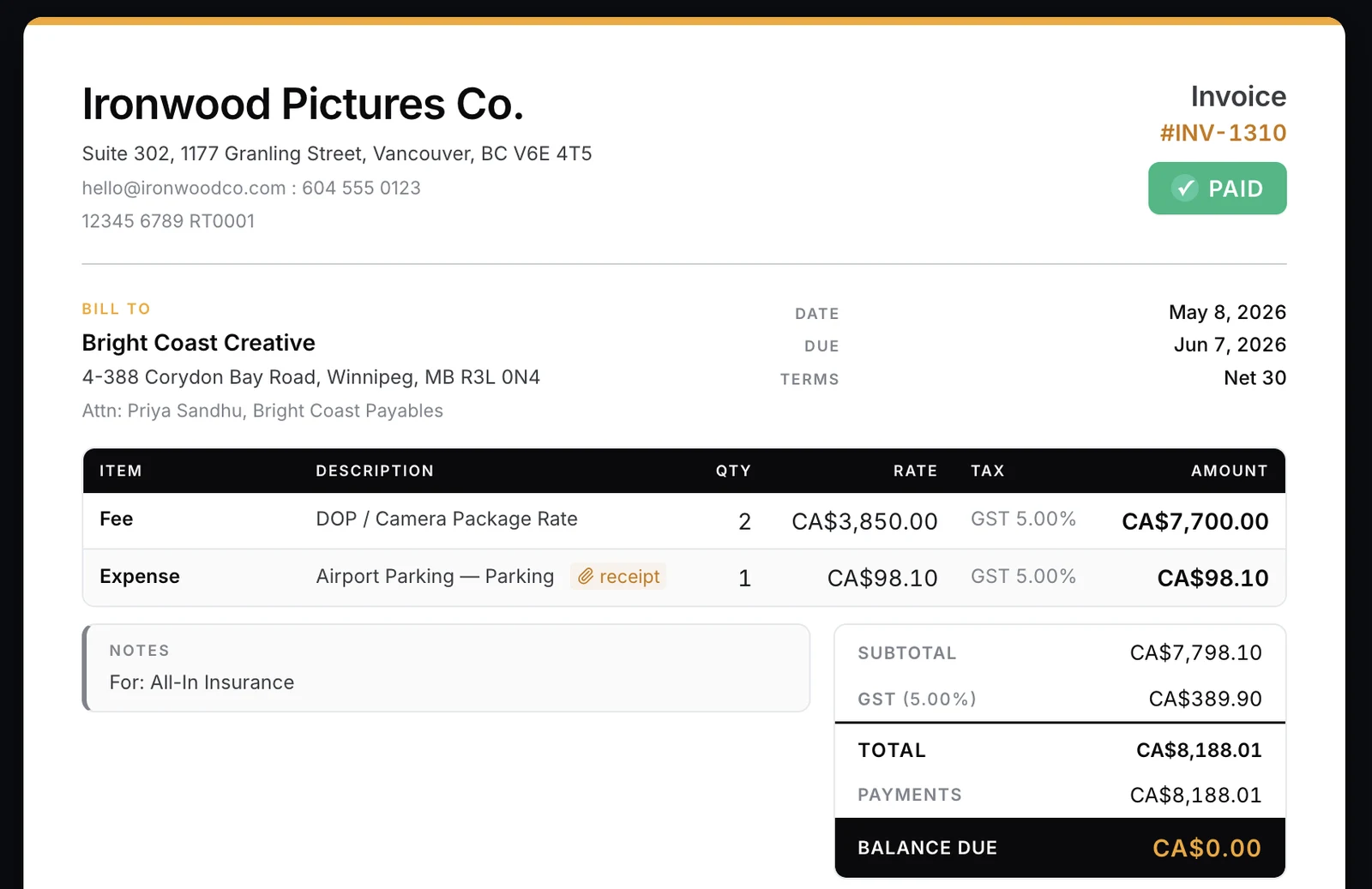
Estimate, shoot, invoice. The numbers carry through, so you're not retyping a rate card into a Word template at midnight.
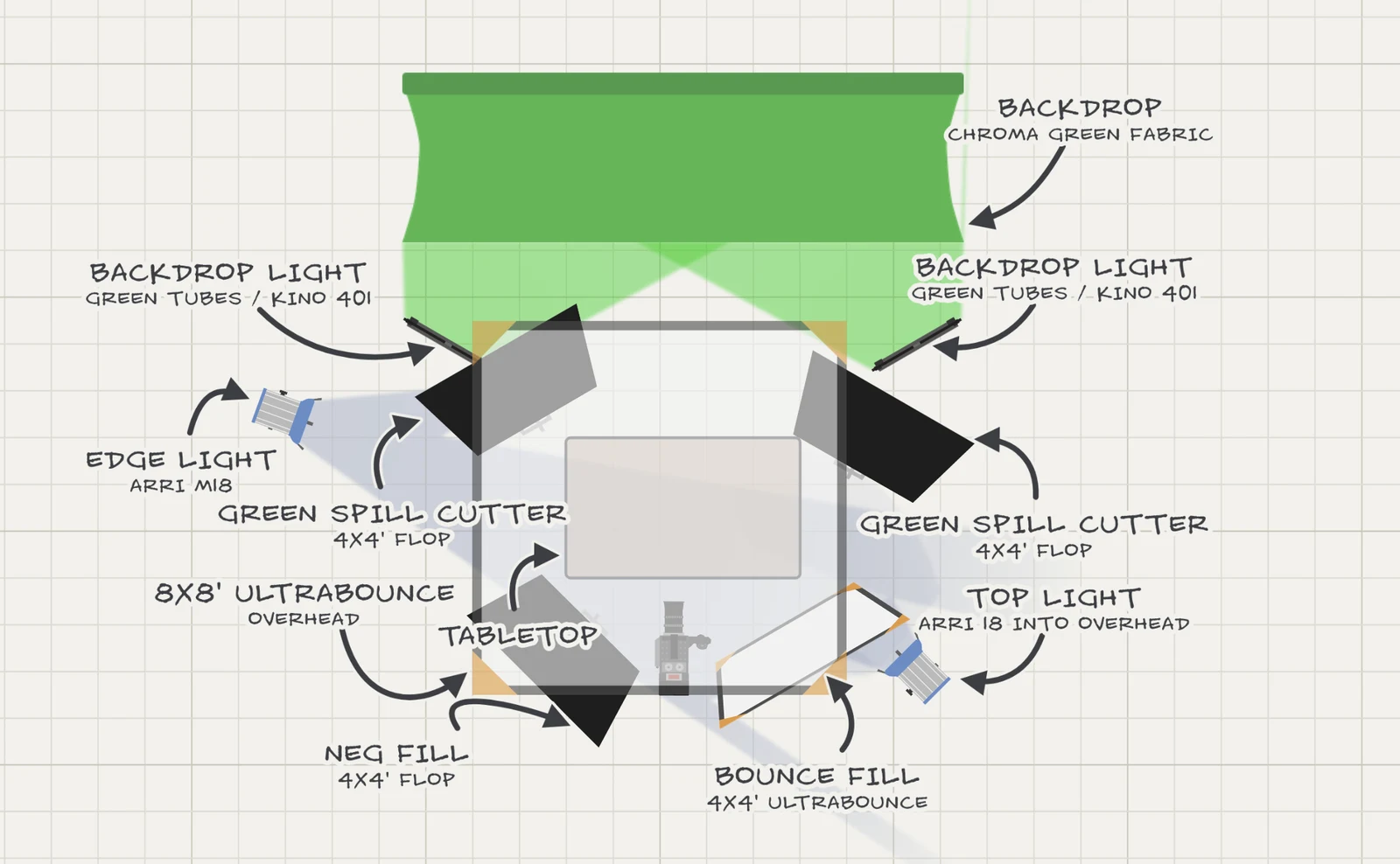
Most production software stops at logistics. This is the part that actually gets used the night before.
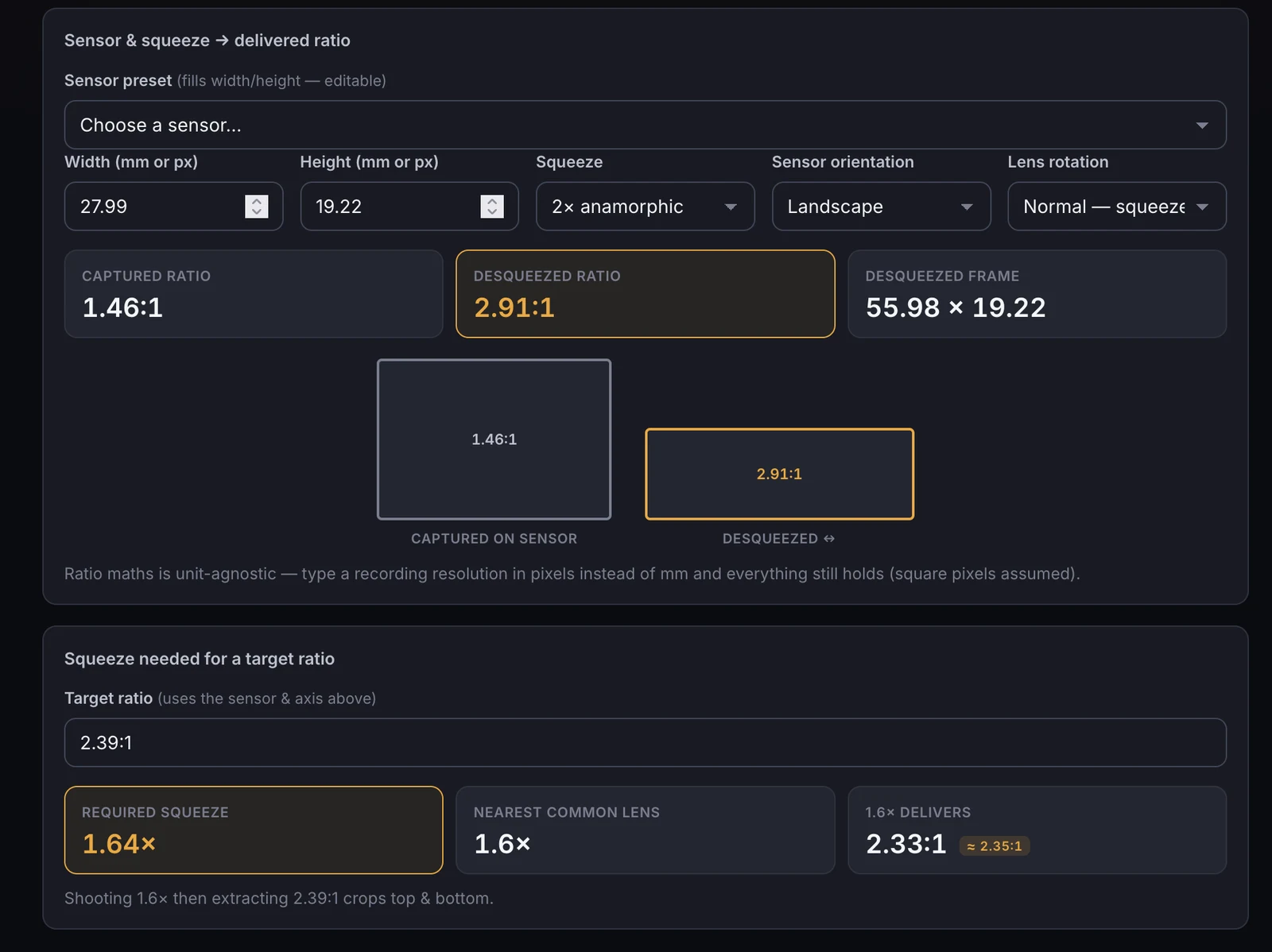
The calculations you'd otherwise do on the back of a call sheet, in the same app as everything else.
The things you only notice when they're missing.
Admins, operators, viewers and renters see different things. A renter is served a different page entirely — not the same page with buttons hidden.
The same login can belong to several groups, so a rental house and your own kit stay separate.
Automatic, encrypted, and pulled to storage you control rather than pushed to storage we control.
Deleted items go to trash and come back. Mis-clicks are not a crisis.
Gear lists, invoices, call sheets, diagrams, moodboards and job pages all publish to a link the recipient can just open.
What you earned, what you spent, which kit paid for itself and which is sitting on a shelf.
For the people who'd rather not reach for a mouse in a dark truck.
Written help, in the app, for every section — not a support ticket queue.
The setup you have to do once, and the part you never think about again.
Add items as you go, or bring in a list you already have. Print labels for the things that travel.
Name it, give it dates, attach the client. That's the whole setup.
Pull kit, scout, light, shoot, wrap. The paperwork assembles itself out of what you did, and the invoice is waiting at the end.
A working cinematographer, for their own productions, over several years. Every feature exists because a real job needed it — which is why there's a false-colour scope and a lighting plotter next to the invoicing, and why the invoicing knows what a kit fee is.
Not to everybody yet. It's in daily production use and being opened up in small batches so that each new user gets set up properly. Ask for access and you'll hear from a person.
Pricing isn't fixed yet, and we'd rather say that than invent a number. Early-access users will have a say in it and will get plenty of warning before anything changes.
No. It runs in a browser on a laptop, tablet or phone, and can be added to a phone's home screen so it opens like a normal app.
Yes. Gear lists, invoices, estimates, call sheets, lighting diagrams, moodboards and job pages can each be published to a link that anyone can open. People renting gear from you get their own sign-in and see only their own hires.
On a server, in a normal database, backed up automatically and encrypted. There's a full export and restore path, because the answer to "what if this disappears" should never be a shrug.
Most people do — a spreadsheet for kit, an accounting app for invoices, a notes app for shot lists. You don't have to move all of it at once. Start with the part that annoys you most.
Leave your details and we'll be in touch when there's a spot. No card, no trial countdown, no sales sequence.
Check your inbox for a confirmation. When there's a spot you'll hear from a person, not an autoresponder.